The study planner for exams
Exam date in.
Study plan out.
Add your chapters and how long they take. ExamKit plans backwards from exam day – with review days, a buffer and a countdown that shows if you are on track.


- Free to start
- No account, works offline
- In 5 languages
Coming to iPhone soon.
Countdown line
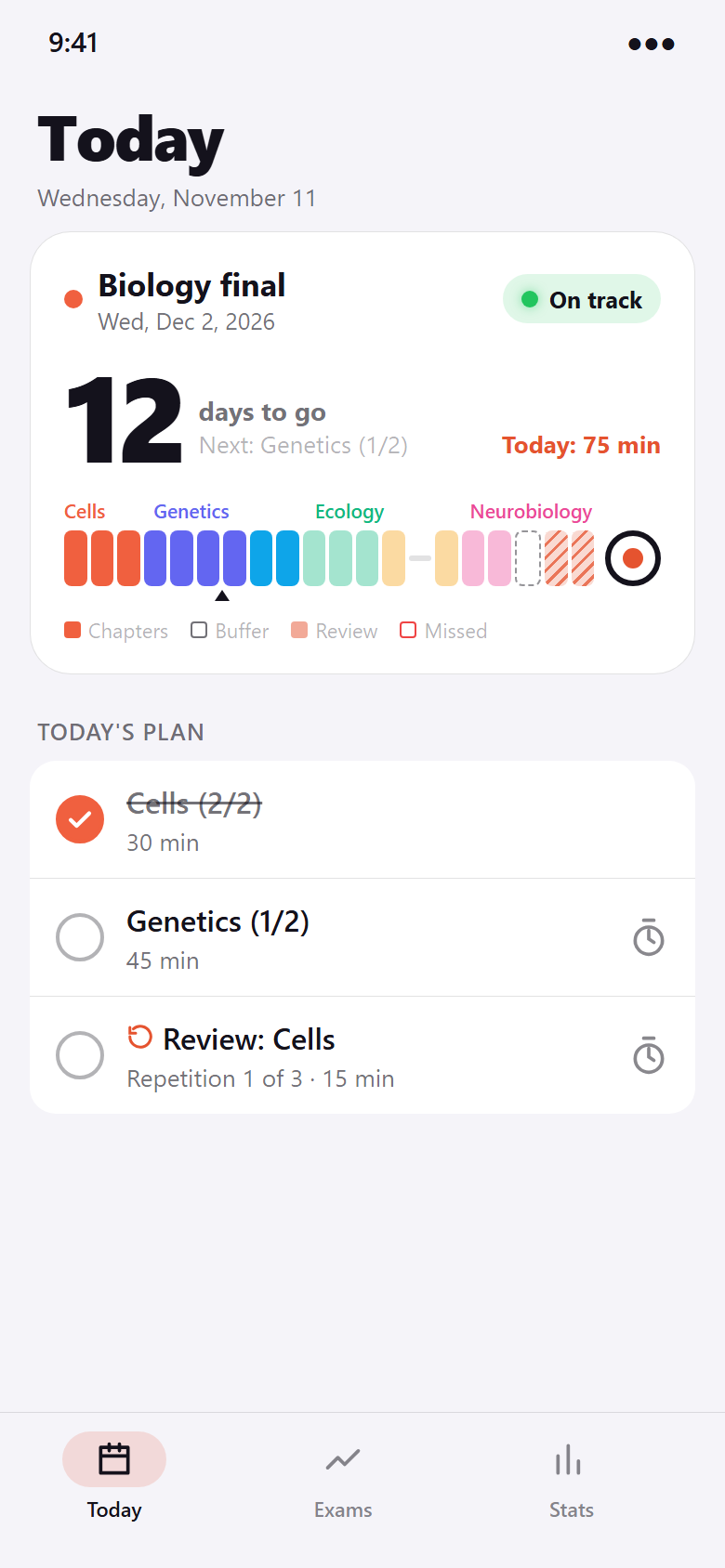
Every day until the exam. In one line.
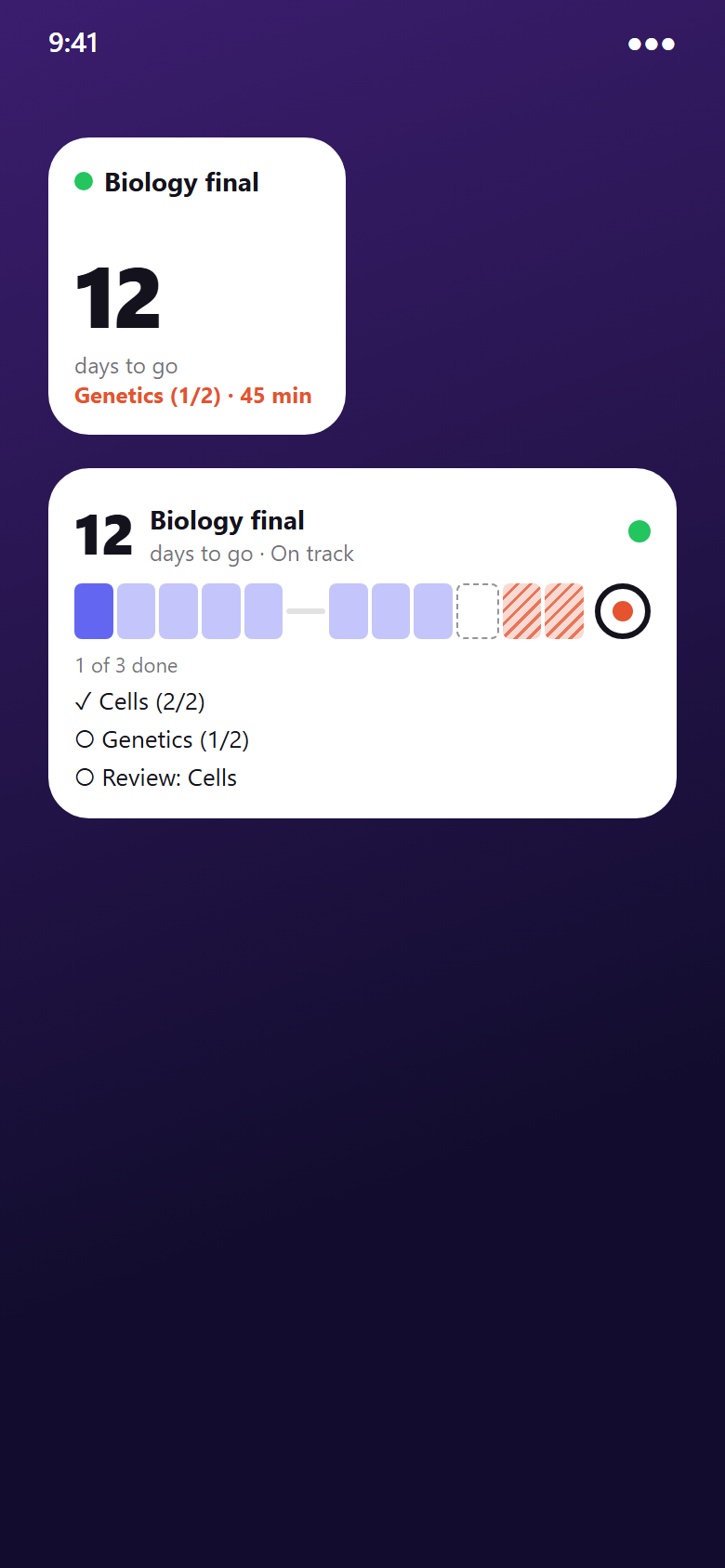
Each chapter gets its colour, each day its block. Done is solid, open is light, missed has a red edge. At the end: exam day.
Tap the countdown for the plan day by day and the progress of every chapter.
Catch-up plan
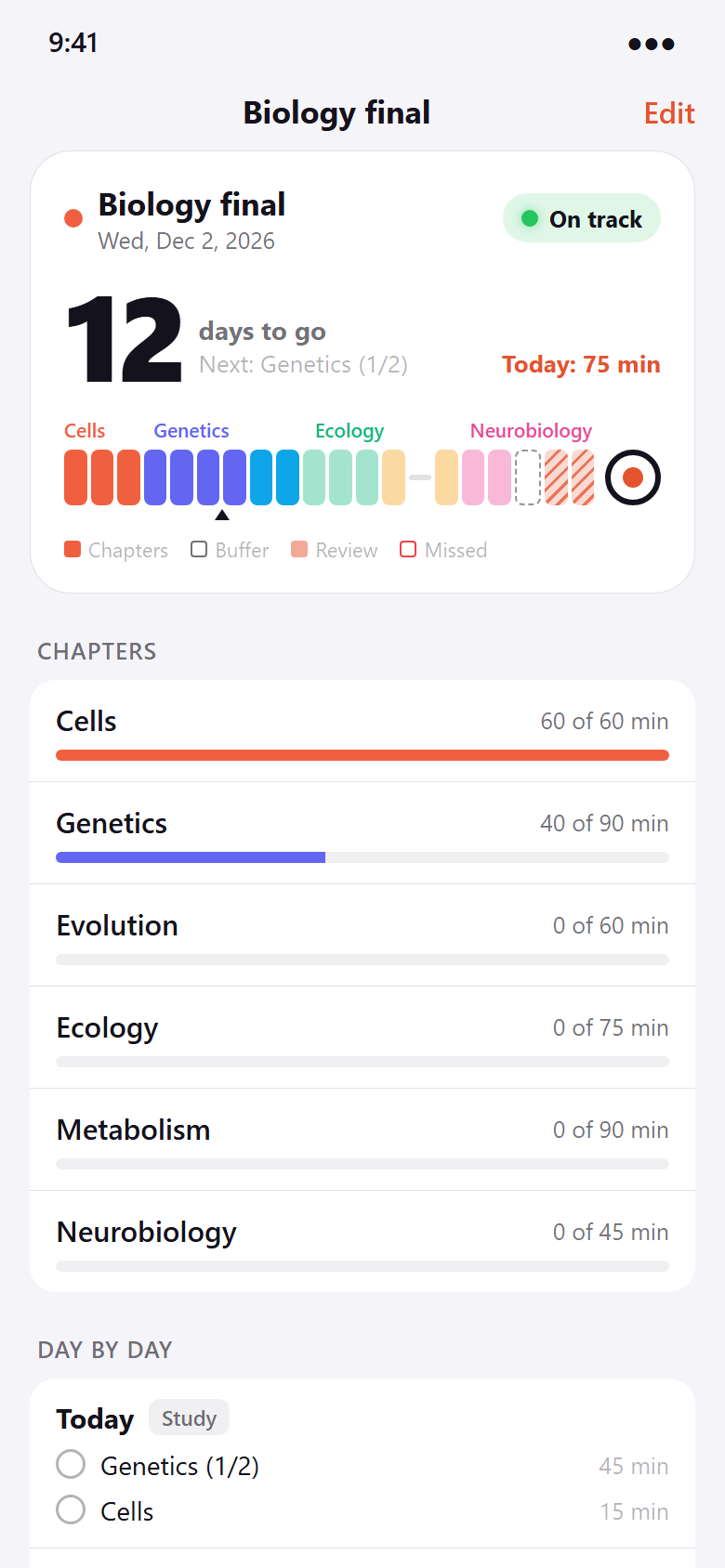
Missed a day? The plan adapts.
The traffic light shows when you fall behind. The catch-up plan spreads what is missing over the remaining days – your buffer days included.
Catch-up plan and review rhythm are part of Pro.
Not more studying.
Studying at the right time.
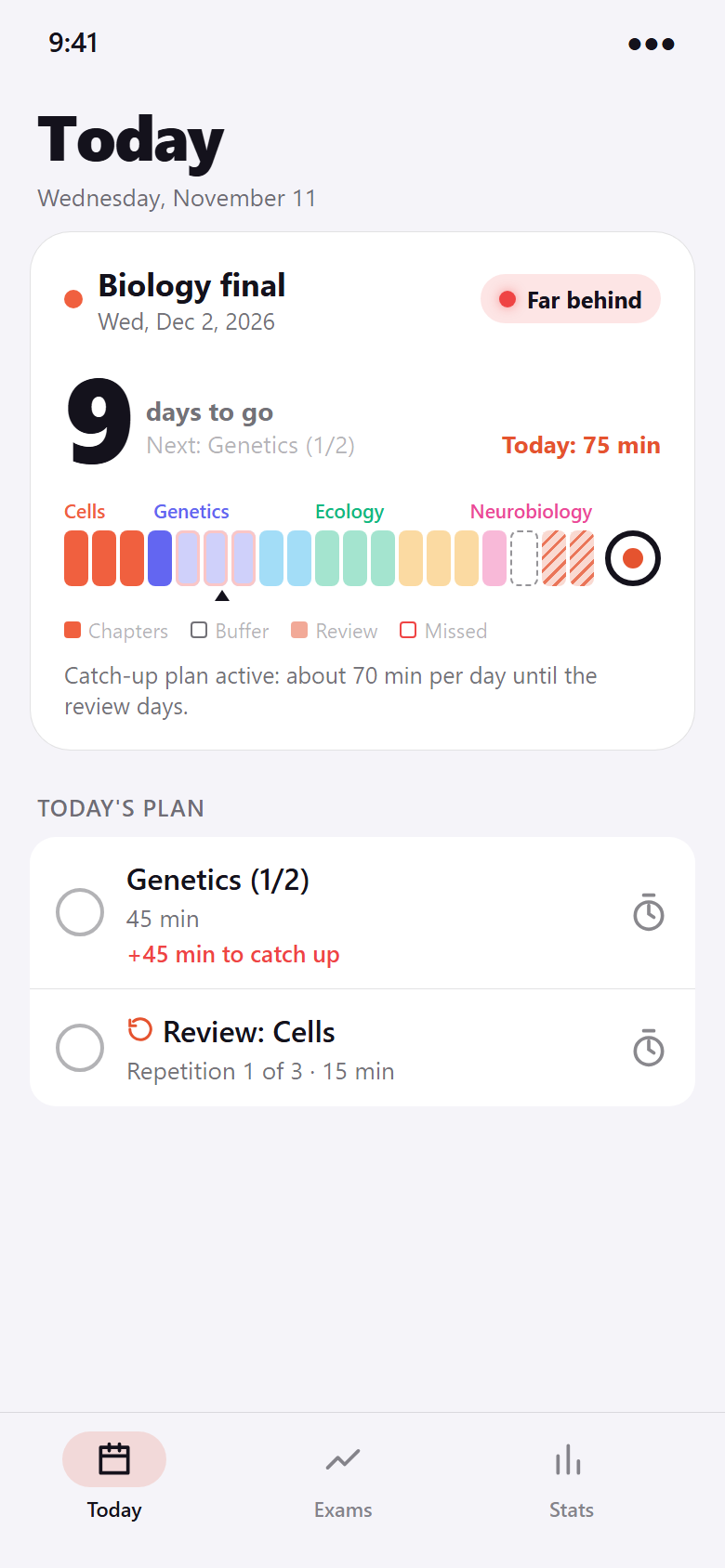
Review days before the exam, repetitions after 1, 3 and 7 days, a buffer for when life happens.
Set up in a minute
Chapters in, plan out.
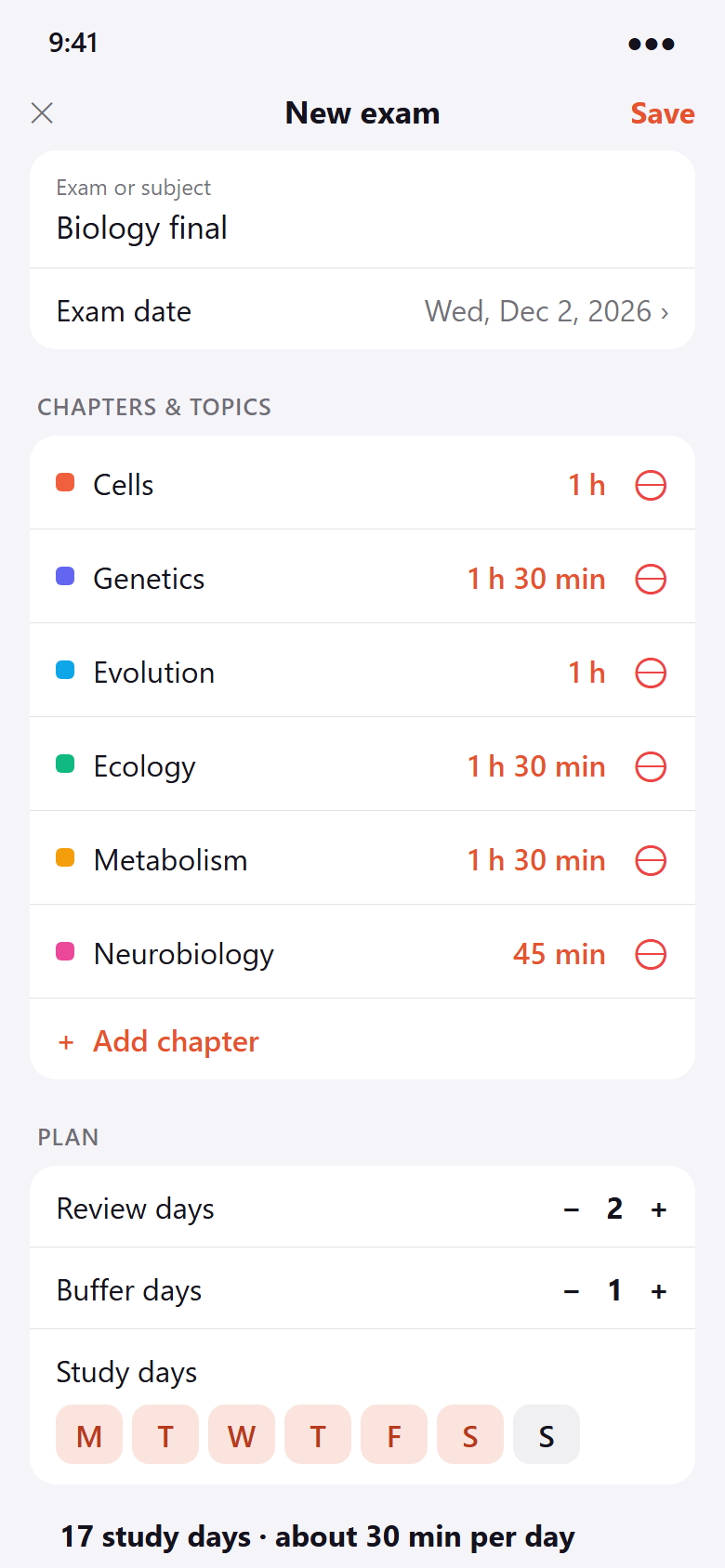
Name, exam date, chapters with an estimated effort. Choose your study days, review days and buffer – the preview shows minutes per day right away.
Change anything later: the plan recalculates, your progress stays.
Widgets
Your countdown on the home screen.
The countdown widget shows days to go, the traffic light and your next task. The plan widget adds the countdown line and today’s list.
Countdown widget free, plan widget with Pro. Android and iPhone.
The difference
Stop planning. Start studying.
- Counting days and splitting chapters by handDaily plan calculated backwards from exam day
- One bad day ruins the whole planCatch-up plan spreads missed work automatically
- Not knowing if you are on trackTraffic light and countdown at a glance
- Everything crammed in the last nightReview days and a buffer before the exam
- Yet another account and cloud syncNo account – your plan stays on your device
And a lot more.
Review days & buffer
The last days before the exam are for reviewing everything. A buffer catches the unexpected.
Review rhythm
Spaced repetition: each chapter comes back after 1, 3 and 7 days. Part of Pro.
Study timer
Optional timer per task. Finish and check off in one tap.
Daily reminder
Only on days with tasks, plus the evening before the exam. Quiet hours included.
Backup & CSV
Back up all exams as a file and export your plan as a table – free.
Statistics
Study time of the last 14 days, streak and progress per exam. Part of Pro.
Quick questions.
Who is ExamKit for?
What does ExamKit cost?
How does ExamKit make money?
How does the backwards plan work?
What happens if I fall behind?
Where is my data stored?
Which devices are supported?
Which languages does the app speak?
Get ExamKit.
Add your exam, check off today’s tasks, watch the countdown turn green.
Free to start. No account.